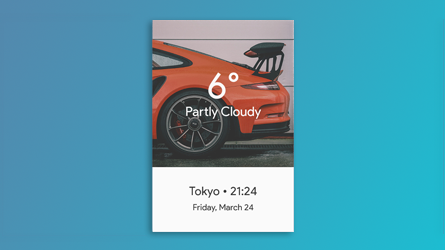
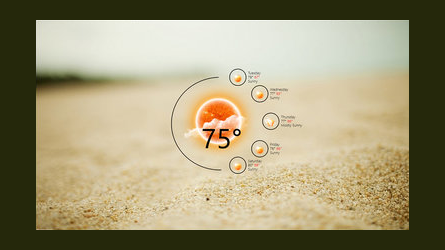
Rainmeter allows you to display customizable skins on your Windows desktop, from hardware usage meters to fully functional audio visualizers.
You are only limited by your imagination and creativity.
Transform your Windows 7, 10, or 11 desktop with thousands of free skins. Monitor CPU, RAM, disk usage, weather, music, and more with beautiful desktop widgets.
Rainmeter is open source software distributed free of charge under the terms of the GNU GPL v2 license.
Get started »New users will want to read through Getting Started to get ready with Rainmeter. Don't forget to check out the Documentation.

For help, visit the forum, go on the unofficial Rainmeter Discord or jump on board the #rainmeter IRC channel on Libera.Chat.
Rainmeter comes with a few simple starter skins, but the biggest part of the community are skins which you install onto your system.
Check out the discover page for some of the better places where you can get new skins to use and modify.
Rainmeter uses very little hardware resources and will run perfectly well on any PC using Microsoft Windows 7 through Windows 11.
Create and modify your own desktop skins in a simple language that's easy to learn. Rainmeter is not just an application, it is also a robust toolkit for building widgets, system monitors, audio visualizers, and more.
Over the last few years, a thriving community has built up around Rainmeter creating beautiful skins and helping each other. Join thousands of users on forums, Reddit, and Discord.
Rainmeter is a free, open source desktop customization tool for Windows. It allows you to display customizable skins on your desktop, including hardware monitors, weather widgets, clocks, audio visualizers, and much more.
Yes, Rainmeter is completely free and open source. It is distributed under the GNU GPL v2 license with no ads, subscriptions, or hidden costs.
Rainmeter works on Windows 7, Windows 8, Windows 10, and Windows 11. Both 32-bit and 64-bit versions are supported.
Download the installer from this page and run it. The setup wizard will guide you through the installation. Rainmeter will start automatically after installation with some default skins.
You can find thousands of free Rainmeter skins on DeviantArt, Reddit r/Rainmeter, and the official Rainmeter forums. Check our Discover page for curated collections.
No, Rainmeter is very lightweight and uses minimal system resources. Most skins use less than 1% CPU and very little RAM, so you won't notice any performance impact.